
- HTML to PDF APIConvert HTML and URLs into PDFsPDF Form Fields APIAdd fillable fields to any PDFExtract PDF Form Data APIEasily extract data from PDFsWatermark PDF APIAdd custom watermarks to PDFsProtect PDF APISecure your PDFs with passwordCompress PDF APIReduce file size without losing qualityFlatten PDF APIFlatten PDFs to make form permanentDigital Signature APISend documents for signing
- API DocumentationAPI DocumentationFull REST API referenceNodeJS SDKClient library for Node.jsJava SDKClient library for JavaC# SDKClient library for C#PHP SDKClient library for PHPPython SDKClient library for Python
- Pricing
- Contact Us

PDF Form Fields API
Add fillable form fields to your PDFs.
- Choose where fields go using text tags or page coordinates.
- Add text boxes, checkboxes, dropdowns, signature fields and more.
- Plans from $9 per month. 14-day free trial, no credit card required.
1import PdfGate from "pdfgate";2import { readFile, writeFile } from "node:fs/promises";34const client = new PdfGate("YOUR_API_KEY");56// Any PDF with placeholder tags such as {text;n:clientName} in its text.7const upload = await client.uploadFile({8 file: { name: "agreement.pdf", data: await readFile("agreement.pdf") },9});1011const withFields = await client.addFormFields({12 documentId: upload.id,13 fieldOverrides: {14 clientName: { fontSize: 12 },15 signedAt: { autoFill: true },16 },17});1819await writeFile("agreement-fillable.pdf", await client.getFile({ documentId: withFields.id }));What you can do
Add the fields you need to contracts, applications and other PDF forms.
Placeholder tags
Add a tag like {text;n:clientName} to your document before exporting it as a PDF. The API turns it into a fillable field.
Place fields by position
Choose a page, position and size for each field. This works for scanned forms and PDFs you cannot edit.
Fields for your forms
Collect names, dates, numbers and longer answers. Add checkboxes, radio buttons, dropdowns and signature fields.
Use your existing PDFs
Upload a PDF or use one already stored in our server. You get a new fillable copy and keep the original.
Customize each field
Make fields required, set default values, add dropdown choices or change the font size.
Standard PDF forms
People can fill in the PDF in a compatible reader. Use our APIs to read their answers, make fields read-only or collect signatures.
Two ways to add fields
Use text tags if you can edit the source document. Use page coordinates if you already have a PDF. You can also combine both in one request.

From placeholder tags
In Word, Google Docs or your template, type a tag wherever you want a field. Then export the document as a PDF. The API hides each tag and adds a fillable field in its place.
See all tags in the API reference ↗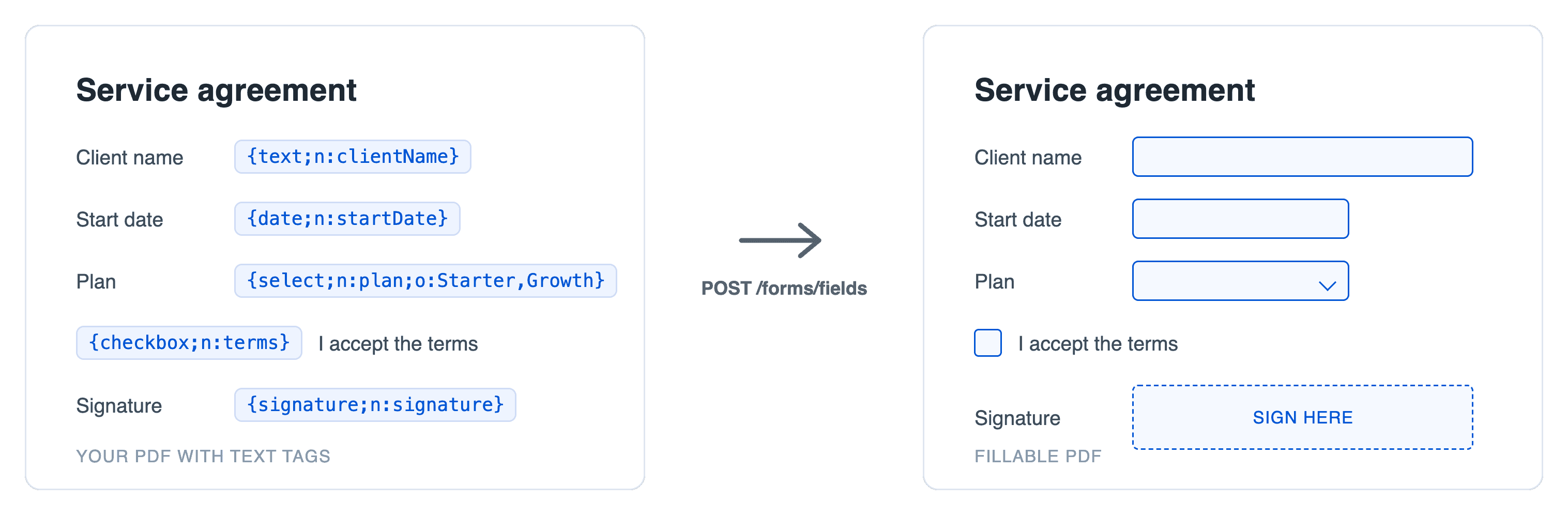

From exact field coordinates
If you want to use an existing PDF or a scanned form, specify in your request where each field should go, with a page number, a position, a width and a height, and the API adds the field exactly there.
See the field settings in the API reference ↗The fields list in your request looks like this.
1"fields": [2 { "name": "approvedBy", "type": "text", "page": 1, "x": 60, "y": 120, "width": 200, "height": 24 },3 { "name": "approvedOn", "type": "date", "page": 1, "x": 300, "y": 120, "width": 140, "height": 24 },4 { "name": "approved", "type": "checkbox", "page": 1, "x": 460, "y": 120, "width": 18, "height": 18 }5]
Starting from HTML instead?
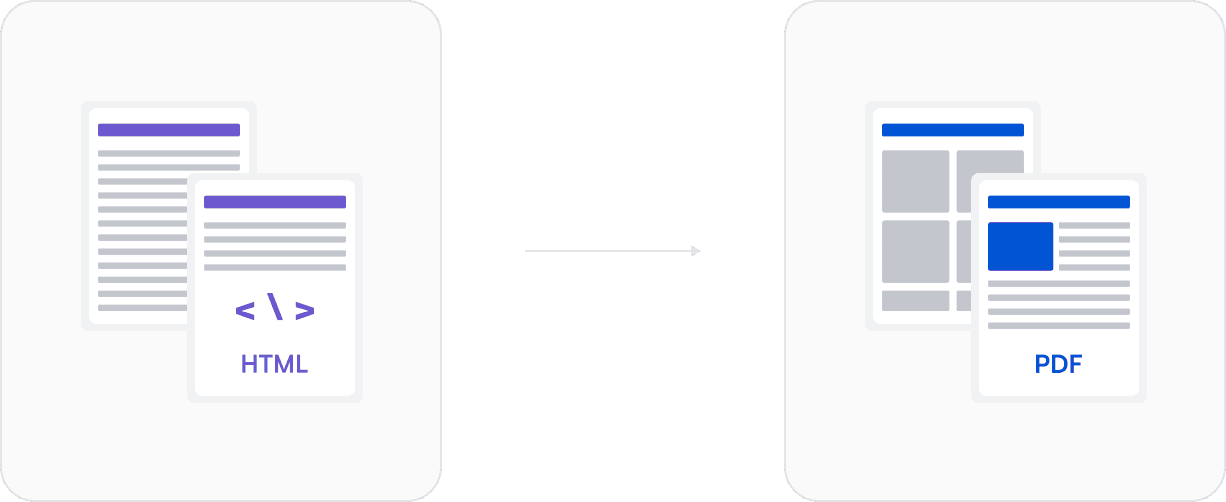
You can use our HTML to PDF API to create fields when you generate the PDF. Add form elements to your HTML and the API turns them into fillable fields. You do not need tags or positions.
See the fillable fields guide for examples and styling options.
From blank form to finished document
After creating your form, you can collect signatures, read the answers or make the fields read-only. Use the APIs you need for your app.
Create the form
Add fillable fields to your PDF using tags or page coordinates.
Form fields reference ↗Collect the answers
Share the form for people to fill in, or send it for signing.
Digital Signature API ↗Get the answers
Extract the answers from the completed PDF as JSON for your app or database.
Extract PDF Form Data API ↗Make fields read-only
Flatten the completed form so its answers become part of the page and can no longer be changed in form fields.
Flatten PDF API ↗What developers say
“We generate PDFs on demand with minimal setup. The snippets are simple, the dashboard is easy to use, and the pricing is fair.”
“Fast and easy to use, I could jump in with no complicated stuff. We needed easy integration at an API level.”
“Their staging environment for testing integrations is a big plus, and everything runs smoothly and reliably. It is a solid choice for developers working with PDFs.”




Frequently Asked Questions
Learn more about PDFGate.
You can add text, number, multi-line text, date, time, date-time, checkbox, radio button, dropdown and signature fields.
They can open it in a PDF reader that supports forms, such as Adobe Acrobat, or use our free online form filler, which runs in the browser with no account.
No. Upload your own PDF or use a document already stored in PDFGate. For scanned forms, use page coordinates to place the fields.
Yes. Set optional to false to make a field required. For tagged fields, put this setting in fieldOverrides. For fields placed by coordinates, put it on the field itself. Coordinate fields also accept a default value in the value property.
Send the completed PDF to the Extract PDF Form Data API. It returns the field names and answers as JSON for your app to use.
Adding fields uses one request, regardless of the number of fields or pages. Uploading the PDF is free. If it is already stored in our server, use its document ID to skip the upload.







Start building with PDFGate today
Generate PDFs, send documents for signature, and automate your document workflows in minutes.
Free trial · No credit card required